.avif)
Training teams don’t shop for AI voice tools in a vacuum. They’re trying to update a compliance module before a policy deadline, roll out onboarding across regions, or fix a pronunciation issue without re-recording 40 videos. Voiceover becomes the bottleneck when content needs to scale, stay accessible, and change fast — especially once legal, IT, or procurement get involved.
That’s why many teams evaluating ElevenLabs also look for alternatives. What worked for experiments or small projects can feel different at enterprise scale, where consistency, licensing clarity, accessibility standards, and update speed matter just as much as voice quality. This comparison looks at where teams tend to hit friction, what actually differentiates the options, and how to choose based on real workflows — not feature lists.
TL;DR: ElevenLabs competitors & alternatives
- Teams look beyond ElevenLabs when voiceover needs to scale across large training libraries, frequent updates, or regulated environments.
- Key differences show up around voice consistency, licensing clarity, governance, accessibility, and workflow fit, not just how a sample sounds.
- Some alternatives are creative AI voice tools, while others are developer-first or infrastructure TTS (text-to-speech) platforms.
- Voice cloning vs. voice libraries is a major decision point for L&D and enterprise teams concerned with risk and long-term reuse.
- ElevenLabs can be a fit for experimentation or short-form content, while other tools are better suited for training, compliance, and global rollouts.
- WellSaid fits teams that need licensed, consistent voice built for ongoing learning and communication workflows.
Why teams search for ElevenLabs competitors
Teams usually arrive here when voice starts to slow work down. A short sample might sound fine at first, but friction appears once content has to stay current, roll out across regions, or move through review. For L&D and enterprise teams, the question changes quickly. It’s no longer about realism. It’s about whether hundreds of assets can stay accurate without introducing delay or risk.
Several pressure points tend to trigger the search, including:
- Consistency across growing training libraries: As programs expand, differences in tone, pacing, or pronunciation become more noticeable. That drift shows up when courses are built over time or owned by multiple authors. Learners notice the mismatch, and teams feel the strain of keeping content aligned across onboarding, compliance, and enablement.
- Unclear implications of voice cloning and usage rights: Voice cloning often raises questions later in the process. Teams start asking who owns the output, how long it can be reused, and what happens if a voice needs to be retired. These concerns usually surface when legal or procurement teams step in, not during early testing.
- Security and procurement review: Once training content includes internal systems, policies, or regulated material, governance becomes unavoidable. Buyers look for clarity around data handling, licensing terms, auditability, and whether a tool can pass internal review without workarounds.
- Friction during updates: Training content rarely stays fixed. Policy changes, product updates, or regional adjustments can trigger many small edits. When every change requires re-recording or manual cleanup, voiceover turns into a recurring delay instead of a dependable step in the workflow.
This is often the point where teams reassess fit. Instead of focusing on voice quality alone, they compare alternatives based on update speed, consistency, governance, and how well a tool supports long-term maintenance.
How we evaluated ElevenLabs alternatives
Most teams comparing ElevenLabs alternatives already have audio content in production. Courses are live, multiple stakeholders are involved, and updates happen as part of normal operations. The evaluation focused on whether each platform supports that reality, rather than how it performs in a quick demo or a single set of audio samples.
Each option was reviewed through common L&D and enterprise workflows. That included updating existing courses, scaling content across regions with multilingual support, and keeping voiceover from becoming a recurring bottleneck. The goal was to understand how different AI voice technology fits into day-to-day production and where friction tends to appear as usage grows.
Evaluation criteria
- Voice quality and consistency for long-form content: The review emphasized the naturalness of the voice over extended listening, such as 20–30 minute training modules. Stable pacing, tone, and audio quality across updates mattered more than how a short clip sounded in isolation.
- Voice libraries versus reliance on cloning: Some teams prefer curated voice libraries to minimize variability in voice characteristics and simplify review. Others rely on voice customization through cloning. The evaluation looked at how each approach affects reuse, approvals, and long-term maintenance, especially as deep learning models evolve.
- Licensing and commercial usage clarity: Platforms were assessed on how clearly they define ownership, reuse rights, and external distribution. This becomes critical when audio content stays live for years or is reused across audiences, regions, or customer-facing programs.
- Security and compliance posture: In this context, enterprise-ready refers to documented security and privacy practices. That includes SOC 2 alignment, GDPR support, defined data retention policies, and auditable access controls that security and procurement teams can review.
- Accessibility and caption alignment: The evaluation considered how easily teams keep voice, captions, and on-screen content in sync. Support for caption file exports and predictable pronunciation influences accessibility workflows and overall user experience.
- Workflow fit for L&D and content teams: Tools were reviewed based on how easily teams make small edits, regenerate audio, and manage versions through the user interface without re-recording entire sections or depending on engineering resources.
- Pricing transparency as usage scales: The focus went beyond list price. The evaluation looked at how costs change as usage grows and whether pricing remains predictable as audio content libraries expand.
Throughout the comparison, the emphasis stayed on fit rather than ranking. Different tools solve different problems well. The sections that follow highlight where each option tends to work smoothly and where trade-offs are likely to appear as content moves from experimentation into ongoing production.
What “enterprise-ready” means in practice
The evaluation criteria surface a term that comes up in nearly every enterprise review. Teams hear “enterprise-ready” often, but its meaning shifts depending on who is involved in the decision.
In practice, enterprise-ready voice platforms support a set of operational requirements.
- Documented security controls: Alignment with standards such as SOC 2, along with defined data handling and retention policies that security teams can review.
- Privacy and regional compliance: Support for GDPR and other regional requirements when users or content span multiple geographies.
- Clear licensing and usage rights: Explicit terms covering commercial use, long-term reuse, and external distribution, without repeated renegotiation as content evolves.
- Governance and auditability: Role-based access, predictable approval workflows, and the ability to review how and where voices are used.
- Operational reliability at scale: Stable voice behavior across large libraries, with consistent output even as content is updated or reused over time.
For L&D and enterprise buyers, enterprise-ready is less about feature volume and more about whether a platform can pass review and keep production moving once legal, IT, and procurement are part of the process.
ElevenLabs: What it is and is not

Many teams start with ElevenLabs AI because they want audio fast and with minimal setup. For early testing or lightweight projects, that speed can be useful. Limits tend to surface later, once voice becomes part of a system that needs to support updates, scale, and review across larger programs.
Where ElevenLabs performs well
- Early experimentation and prototyping: ElevenLabs AI is often used to test scripts, explore tone options, or generate short-form audio content. For developers or creative teams experimenting with text-to-speech technology and AI voice technology, the low setup overhead makes it easy to move quickly.
- Flexible voice creation for creative work: Teams working on demos, proofs of concept, or non-critical content may value the ability to adjust voice characteristics and experiment with different voice styles before committing to a production workflow.
Where teams raise concerns
- Implications of voice cloning: Once content needs to live beyond a prototype, questions around ownership, consent, and long-term rights tend to appear. Teams also need clarity on what happens if a cloned voice can no longer be used. For L&D and enterprise programs, these questions usually need answers before voice can scale.
- Consistency across long training modules: Voices that sound convincing in short clips can feel uneven over longer sessions. Teams producing onboarding or compliance training often look for steadier pacing and tone across courses that run 20 minutes or more, especially when updates are frequent.
- Governance and audit requirements: When legal, security, or procurement teams get involved, buyers start asking about data handling, licensing terms, and audit readiness. This is often the point where teams pause to assess whether their current setup will pass review without exceptions.
This baseline explains why many teams look beyond initial tools. The sections that follow focus on how different platforms handle these same pressures once voice becomes part of an ongoing production workflow.
The top ElevenLabs competitors & alternatives
Teams comparing ElevenLabs usually want to understand how tools behave once voice moves into regular use. The platforms below are grouped based on how buyers typically evaluate them, with attention to workflow fit, licensing clarity, and readiness for sustained production.
Comparison table: ElevenLabs vs leading alternatives
Notes:
- Licensing & usage rights reflects whether commercial reuse terms are clearly documented for long-lived content.
- Enterprise readiness indicates typical support for security review, governance, and scale.
- G2 ratings vary by plan and review volume. Some platforms are not consistently rated (*NaturalReader).
Direct ElevenLabs competitors
These tools appear most often alongside ElevenLabs in SEO results, Reddit threads, and buyer evaluations. While they overlap in category, they differ in how well they support content creation at scale, governance requirements, and long-term maintenance of audio content across teams.
WellSaid
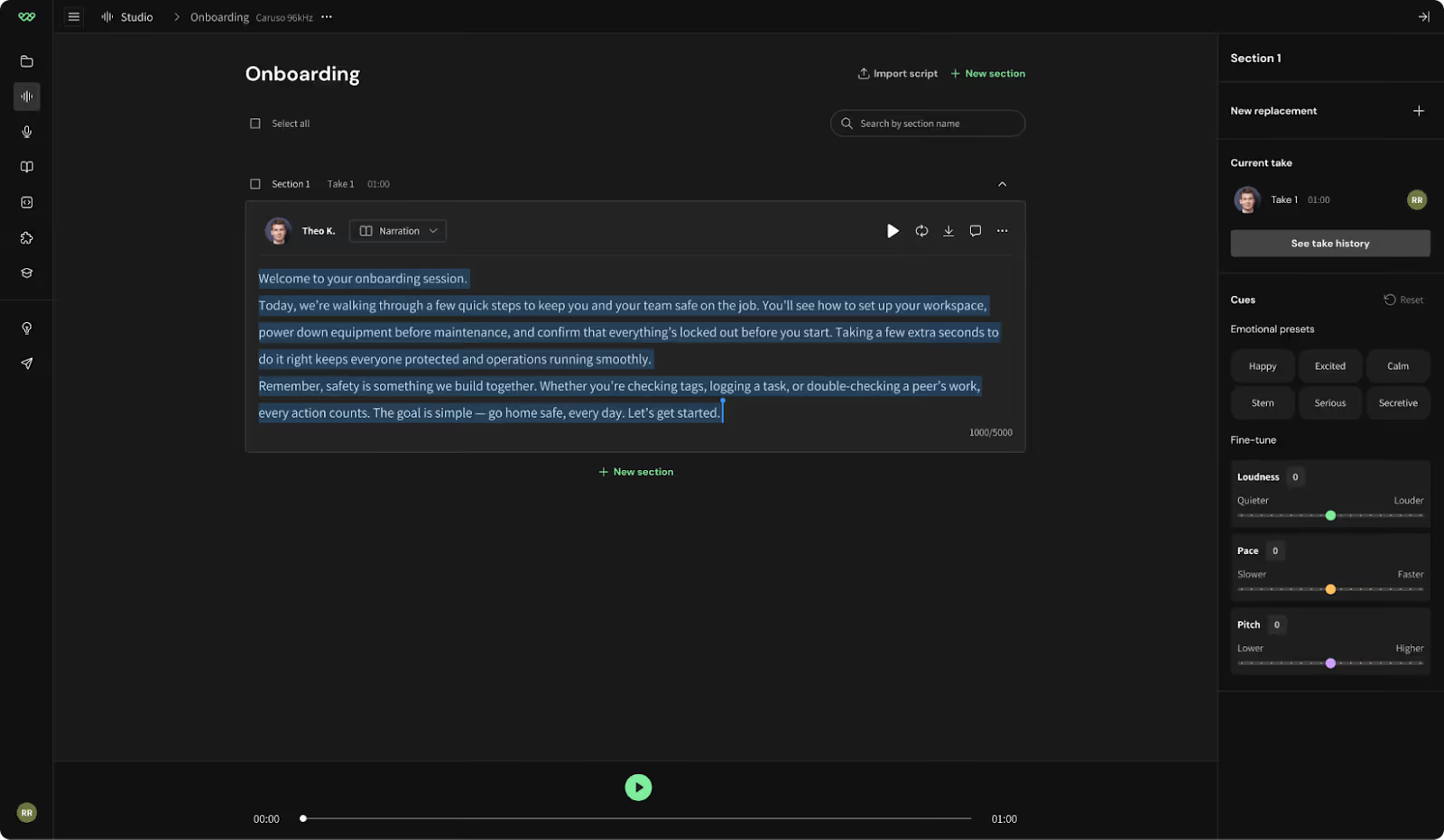
Best for: L&D teams and enterprise marketing & advertising teams producing training, onboarding, compliance, enablement, and support automation content at scale.
WellSaid is designed for teams that treat voiceover as a repeatable part of content creation rather than a one-off task. It’s commonly evaluated when audio content needs to stay consistent, reviewable, and easy to update across large libraries and long timeframes. The focus stays on governance, licensing clarity, voice accuracy, and dependable audio quality, rather than experimentation or novelty.
Key features
- Curated library of licensed, natural-sounding voices created with professional voice talent and tuned for long-form listening
- Explicit commercial usage rights for long-lived or externally shared audio content
- Workflow designed for frequent edits, re-renders, and re-exports without re-recording
- Consistent voice reuse across courses, programs, authors, and customer-facing materials
- Broad language support suitable for global training, customer service, and support automation use cases
- Cues that support emotional nuance, realistic tone, and pronunciation accuracy
- Enterprise-grade data handling designed to reduce risk associated with misuse, including safeguards aligned with deepfake audio detection expectations
- An API for developers that supports controlled integration into existing content and delivery systems without disrupting governance
What licensing clarity looks like in practice
An onboarding course remains active for several years and is later adapted for external partners or customer support training. With clear commercial licensing, the original audio content continues to be reused without renegotiation or replacement during each update.
Workflow example
A compliance policy update affects five modules across regions. The team updates a few lines of script, regenerates the audio, and re-exports aligned captions in the same workflow. The update finishes in hours rather than days, without introducing a new voice or disrupting consistency across languages.
Considerations
- Not designed for novelty or end-user voice cloning capabilities
- Less flexibility if the primary goal is highly customized or experimental voice creation
Murf AI
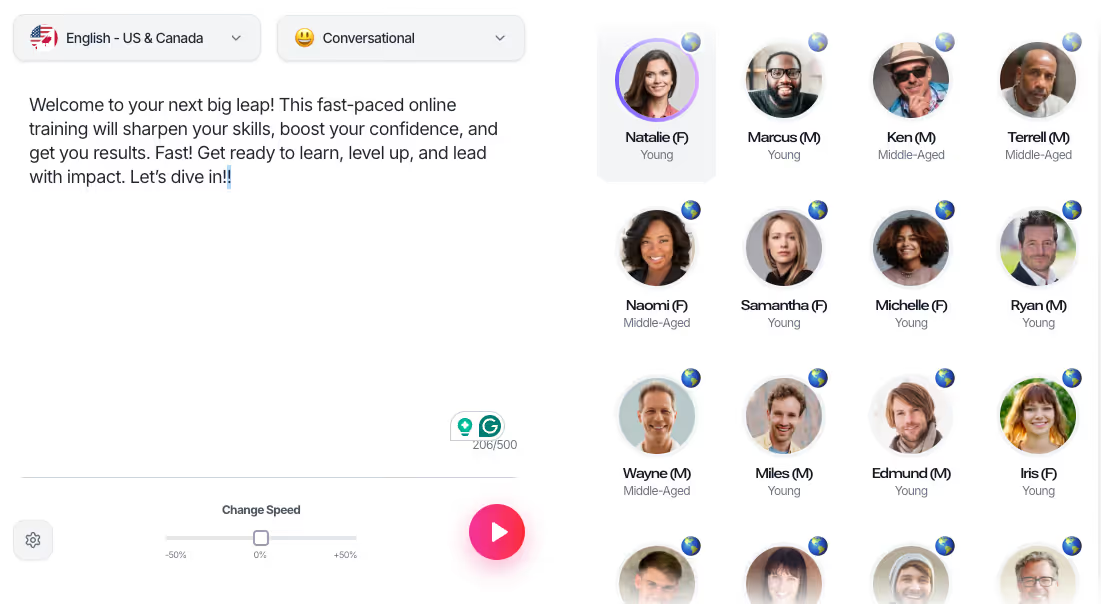
Best for: Small to mid-sized teams creating narrated videos, presentations, or short-form audio content.
Murf is often used for straightforward content creation where speed and simplicity matter more than long-term governance. It works well for individual assets such as marketing videos, internal presentations, or basic customer service audio, but is less commonly used for large, evolving libraries.
Key features
- Broad selection of stock voices
- Simple interface for quick audio generation
- Accessible for non-technical users producing short-form content
Considerations
- Limited governance and permission controls as teams grow
- Voice consistency across multiple authors or courses can be difficult to manage
- Less suited for large-scale training libraries, multilingual programs, or frequent updates that require stable audio quality over time
LOVO AI
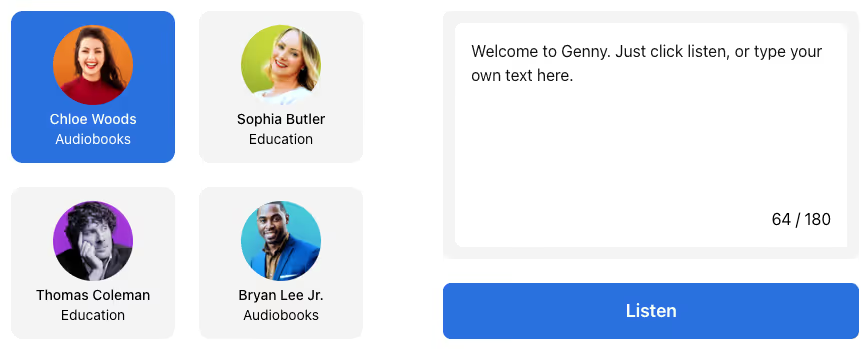
Best for: Creative teams producing marketing videos, explainers, or brand-focused content.
LOVO AI is often evaluated for its expressive voice styles and creative flexibility. It fits environments where tone variation matters more than strict consistency across assets.
Key features
- Expressive voice options aimed at creative delivery
- Tools that support varied tone and pacing
- Suitable for short-form or campaign-based content
Considerations
- Licensing terms can vary by plan, which may require review
- Maintaining a consistent voice across long-form or frequently updated content can require extra coordination
- Less optimized for structured L&D workflows
Speechify
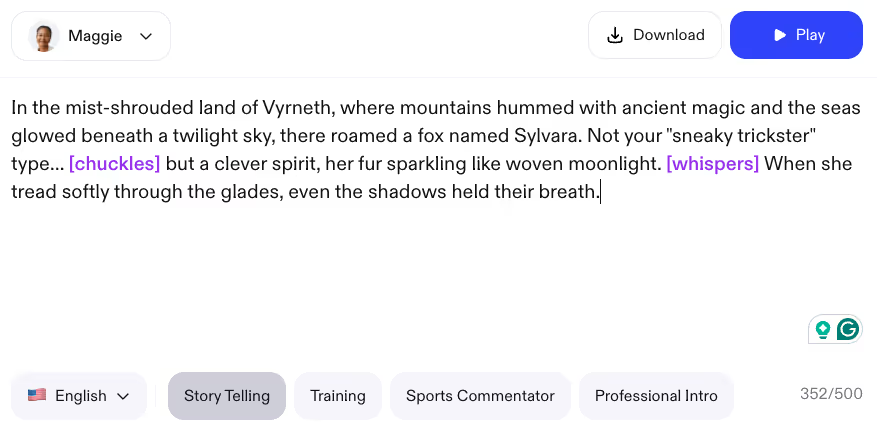
Best for: Individuals or teams focused on listening, accessibility, or content consumption.
Speechify is a text-to-speech platform built for reading and listening. It appears frequently in comparison searches, but it serves a different role than production voiceover tools used by training teams.
Key features
- TTS output optimized for readability
- Accessibility-focused listening use cases
- Simple conversion from text to audio
Considerations
- TTS-first, not a production voiceover platform
- Limited support for managing large content libraries or frequent updates
- Not designed for multi-author training workflows or long-term reuse
These distinctions drive most comparison decisions. Teams rarely choose based on voice quality alone. They look at how well voice fits into real production workflows, how confidently content can be reused, and how much friction appears once voice becomes part of an ongoing system rather than a one-time task.
Voice cloning–centric alternatives
These platforms are often grouped with ElevenLabs because they support voice cloning. For L&D and enterprise teams, that similarity can hide important differences. Cloning changes how teams think about ownership, long-term reuse, and governance, especially once content moves past early pilots.
Resemble AI

Best for: Teams that need custom or cloned voices for branded, experimental, or highly specific use cases.
Resemble AI focuses on custom voice creation rather than selecting from a predefined library. Teams often evaluate it when they want a tightly controlled or brand-specific voice. That level of control can be useful in bespoke scenarios, but it also adds complexity as content volume grows.
Key features
- Voice cloning built from custom recordings
- Detailed control over voice models and parameters
- Tooling to create and manage proprietary voices
Considerations
- Questions around voice ownership, consent, and long-term reuse
- Governance work when voices require approval, retirement, or audit trails
- Added overhead as libraries expand or voice models change
- Higher scrutiny in regulated or risk-averse environments
For many L&D and regulated teams, these trade-offs appear after initial adoption. What begins as a flexible customization option can become harder to manage once multiple courses, authors, or regions depend on the same cloned voice.
Developer-first and real-time voice platforms
This category serves a different buyer. These tools are usually evaluated by engineering teams building interactive or real-time voice experiences rather than by content teams producing narrated training.
Cartesia
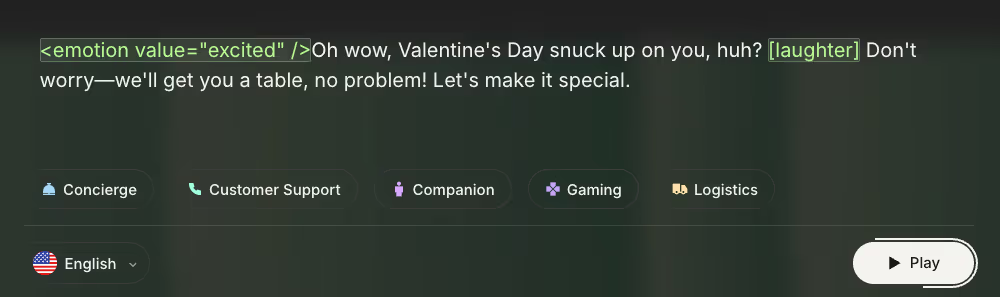
Best for: Engineering-led teams building real-time or interactive voice applications.
Cartesia is built for low-latency voice output in live or conversational systems. Teams often look at it for embedded voice experiences where responsiveness matters more than offline production workflows.
Key features
- Low-latency performance for interactive use cases
- API-driven architecture with deep technical control
- Flexibility for custom integrations and application-level behavior
Considerations
- Ongoing reliance on engineering resources for implementation and upkeep
- Limited support for self-serve narration workflows
- Script updates and re-generation usually require technical involvement
For organizations comparing ElevenLabs alternatives, this distinction matters. Cartesia can work well when voice is part of an application experience. It is far less practical for training workflows where non-technical teams need to update scripts, regenerate audio, and keep content aligned on their own.
Enterprise TTS infrastructure alternatives
These tools often come up in enterprise evaluations because they scale well and align with security requirements. They operate as voice infrastructure rather than finished voiceover platforms, which means usable workflows usually need to be built on top.
Amazon Polly

Best for: Enterprises with in-house engineering teams building voice into applications or systems.
Amazon Polly is a cloud-based text-to-speech service within AWS. It is frequently considered for its scale and fit with existing infrastructure.
Key features
- High-volume audio generation
- Integration with AWS security and governance tooling
- Broad language and voice support via API
Considerations
- API-first approach requires custom development for day-to-day use
- Content teams need internal tools for updates, review, and exports
- Ongoing tuning as voice or compliance needs change
- Less accessible for non-technical users managing routine updates
Microsoft Azure Text to Speech

Best for: Organizations already standardized on Microsoft Azure.
Azure Text to Speech is usually evaluated as part of a broader Azure deployment. It appeals to teams prioritizing centralized identity management and compliance alignment, but it functions as infrastructure rather than a ready-made production tool.
Key features
- Alignment with Azure security, compliance, and identity frameworks
- Integration with other Microsoft services
- Scalable enterprise-grade infrastructure
Considerations
- Strong dependence on engineering teams
- Higher setup effort for non-technical users
- Voice workflows must be designed and maintained internally
- Less suited to rapid, self-serve updates by L&D teams
Azure TTS often clears procurement review, but many training teams find that daily production still requires significant technical support.
Google Cloud Text-to-Speech
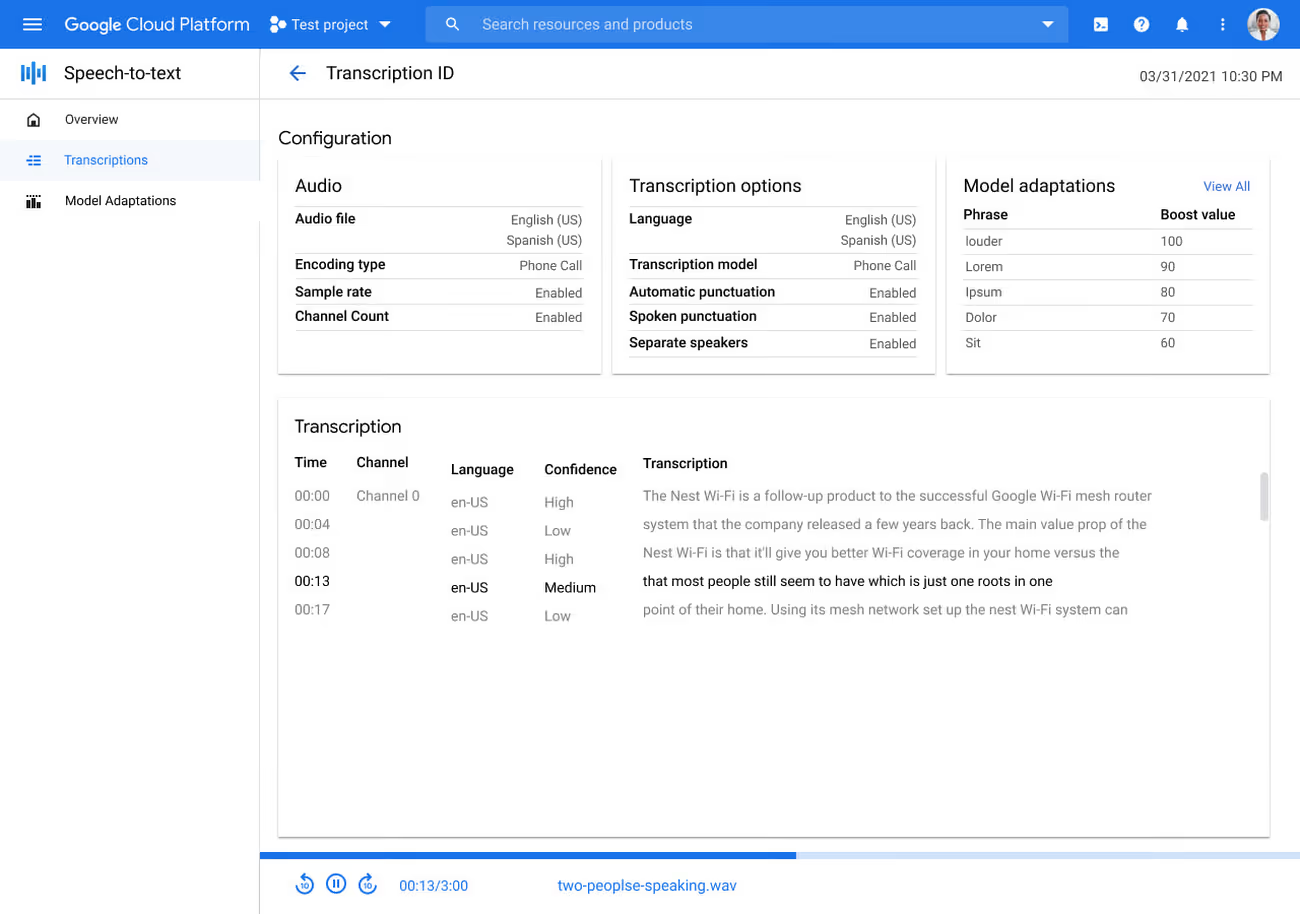
Best for: Teams evaluating build-versus-buy decisions for global voice infrastructure.
Google Cloud Text-to-Speech is often evaluated for its language coverage and global reach. Like other cloud TTS services, it serves as a foundation rather than a complete production solution.
Key features
- Broad language and locale support
- Integration within Google Cloud environments
- Scalable infrastructure for high-volume output
Considerations
- Not designed around training or content production workflows
- Custom tooling needed for updates, approvals, and consistency
- Day-to-day voice management depends heavily on engineering
For organizations with strong engineering capacity, Google Cloud TTS can support voice at scale. For training teams without that support, it often adds operational complexity.
Consumer TTS and accessibility tools
This category often appears in searches for low-cost or free alternatives, but it serves a different purpose than production voiceover.
NaturalReader

Best for: Individual users and accessibility-focused listening.
NaturalReader is a consumer-oriented text-to-speech tool designed for reading and listening. It frequently shows up in “free alternative” searches, but its role differs from platforms used to produce and maintain narrated content.
Key features
- Simple text-to-audio conversion
- Accessibility and personal listening use cases
- Low barrier to entry for individual users
Considerations
- Not designed for training production or narrated content libraries
- No support for managing updates, approvals, or versioning
- Not suitable for multi-author workflows or enterprise-scale programs
NaturalReader can help with listening and accessibility needs, but it does not replace a voiceover platform for L&D teams.
Related tools that are not AI voice generator replacements
Some tools appear in comparisons even though they serve different primary functions. Without context, they can confuse buyers.
- Descript: Audio and video editing with voice features, not a standalone voice generation platform.
- Synthesia: AI avatars with voice included, but video-first rather than voice-first.
These tools can complement voice platforms in certain workflows, but they are not direct alternatives when the core requirement is scalable, maintainable voiceover production.
Voice cloning vs voice libraries: what L&D and enterprises consider
Teams comparing ElevenLabs alternatives tend to arrive at this decision early. Choosing between voice cloning and a voice library is rarely about realism alone. It comes down to risk tolerance, ownership clarity, and how long content is expected to live once it reaches production.
Both approaches can work. The trade-offs become easier to see when training programs expand, updates become routine, and more stakeholders are involved.
Key considerations
- Consistency across time and contributors: Voice libraries are designed for reuse across courses, teams, and years. The same voice behaves predictably even as content evolves. Cloned voices can shift as models are retrained or updated, which may introduce small differences that require review before reuse.
- Legal and ethical implications: Voice cloning introduces questions around consent, ownership, and long-term rights. Teams need to understand who controls the voice, how it can be reused, and what happens if it needs to be retired. Licensed voice libraries usually provide clearer documentation around commercial use and reuse, which simplifies review.
- Maintenance and re-recording overhead: When policies or products change, voice libraries allow teams to regenerate audio quickly without retraining models or sourcing new recordings. Cloned voices often require additional setup or approvals, which can slow updates across large content libraries.
Governance checklist teams often apply
- Are commercial usage rights clearly documented?
- Can voices be reused across years and audiences?
- Is there a defined process for approving or retiring a voice?
- Can updates be reviewed or audited if required?
This is not a judgment about which approach is better. It’s a question of fit. Teams producing a small number of assets may value customization. Teams managing hundreds of modules often prioritize predictability and speed.
Pricing and “free alternatives”: what to know
Searches for ElevenLabs competitors often include “free,” but those results can be misleading. Free tools usually address a narrow need, and the trade-offs become visible once content needs to scale or remain compliant.
Is there a free alternative to ElevenLabs?
In most cases, “free” means:
- Strict limits on minutes, exports, or voices
- Restricted commercial usage rights
- Lower output quality or fewer controls
- No guarantees around long-term availability
These tools can be useful for testing or personal use. They rarely hold up for training programs that need predictable output and reuse.
Why pricing comparisons can be misleading
Sticker price doesn’t tell the whole story. Two factors matter more over time:
- Cost per finished minute: The real cost includes editing, review cycles, and rework, not just audio generation.
- Update and re-recording costs: When a policy change affects multiple modules, the time spent coordinating re-recording and updates often outweighs the original production cost.
Cost-of-change example:
A terminology update affects 20 training videos. With a workflow that supports quick re-renders, the change moves through a single review cycle. With manual re-recording, the same update requires scheduling, re-editing, caption updates, and QA across every file.
How to choose the right ElevenLabs alternative for your team
After reviewing platforms and trade-offs, most teams narrow the list quickly. The remaining decision is practical: which option fits how work actually happens day to day.
By this stage, features matter less than ownership, update frequency, and operational risk as usage grows. This checklist helps teams test options against their real environment.
Decision checklist
- Who creates and updates content: When instructional designers or content owners handle updates directly, self-serve edits and fast re-exports matter. When production depends on developers or specialists, scheduling and handoffs become part of the cost.
- How often content changes: Teams updating courses regularly need workflows that support small, frequent edits without re-recording entire sections. One-time projects can absorb more manual effort.
- Compliance and licensing requirements: Internal-only content carries different risk than externally shared or regulated material. Clear commercial usage rights and documented governance reduce friction during legal and procurement review.
- Scale and consistency needs: A few assets can be managed informally. Large libraries with multiple authors benefit from shared voices, defined standards, and predictable output over time.
These criteria tend to clarify the decision quickly. Tools that feel flexible early can introduce friction later, while platforms designed for ongoing production usually reveal their value as programs expand.
Next steps for teams evaluating voice platforms
Once the shortlist is set, confidence comes from testing tools in real conditions. A voice that sounds good in isolation can behave very differently once voice synthesis is applied across a full course or compliance module.
Start with audio samples placed into your actual content format instead of short demos. Drop the generated audio files into a training slide, video, or LMS preview and listen for pacing, clarity, and listener fatigue over longer segments. This helps reveal how well the voice supports natural conversations, not just isolated lines.
Next, test update workflows. Change a few lines of script, regenerate the audio, and track how long it takes to return to a review-ready asset. This step often surfaces friction around re-recording, file management, caption alignment, and whether real-time voice modification or regeneration is practical without breaking consistency.
Involve legal or procurement early when needed. Licensing terms, usage rights, data security, and governance questions are easier to resolve before voice is embedded across dozens of assets or distributed more widely. Teams should also confirm whether platforms support secure connections and predictable handling of sensitive content.
If your team produces training, customer engagement, or internal communication content that needs to remain accurate, consistent, and review-ready over time, platforms built for those workflows can reduce friction quickly. Start by listening to licensed voices and testing update workflows in WellSaid Studio to see how it fits the way your team works.
FAQs
What is the best ElevenLabs alternative for training and L&D teams?
There isn’t a single best option. L&D teams usually prioritize consistency across large libraries, clear commercial licensing, accessibility alignment, and fast update workflows. Tools focused on experimentation, emotive capability, or short clips often struggle once courses require ongoing maintenance.
Is there a free alternative to ElevenLabs that’s safe for commercial use?
Free tools exist, but most are not designed for long-term or commercial training use. Free tiers often limit minutes, restrict reuse rights, or exclude external distribution. Once audio files move beyond testing, unclear licensing can introduce risk.
What’s the difference between AI voice generators and enterprise voice platforms?
AI voice generators typically focus on producing audio quickly, sometimes paired with speech recognition or real-time features for creative use cases. Enterprise voice platforms support ongoing production, with clearer licensing, stronger data security, accessibility support, and repeatable update workflows. The difference shows up over time, not in a single demo.
How do licensing and voice ownership differ between ElevenLabs and alternatives?
Licensing varies widely. Some platforms emphasize voice cloning or real-time voice modification, which can raise questions around ownership, consent, and long-term reuse. Others provide licensed voice libraries with explicit commercial terms, making it easier to reuse audio across years, regions, and audiences without repeated legal review.
Is Speechify a replacement for ElevenLabs in training workflows?
Not typically. Speechify is designed for text-to-speech and listening, often used for accessibility or content consumption. ElevenLabs focuses on generating audio from scripts. Neither is optimized on its own for managing large, frequently updated training libraries.
How should teams compare voice tools for scale and updates?
Instead of judging audio quality alone, teams should test small script changes and measure how quickly audio files, captions, and exports can be updated. Tools that minimize re-recording, coordination, and review effort tend to support customer engagement and training programs more reliably as content scales.
What does “enterprise-ready” actually mean for AI voice tools?
In practice, enterprise-ready platforms support documented security practices, defined data handling and retention policies, explicit commercial licensing, and governed access. They’re built to operate over a secure connection, pass legal and IT review, and keep production moving as voice becomes embedded across many assets.


.jpg)

.jpg)
.avif)